

 DutyFree BD
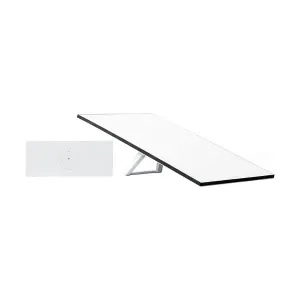
Starlink Standard 4 X Kit (Formerly Standard) - ( DFG036682 )
Sold by DutyFree BD
Tk 28,463Tk 30,938 SAVE TK 2,475
Share this product
🚚 Delivery in 3–5 days
100% OriginalImported and authentic
Nationwide DeliveryFast, all over Bangladesh
Prepaid OrdersSecure advance payment
⏱ ডেলিভারি সময়: 3–5 কর্মদিবস · Delivery time: 3–5 working days
If you are searching for the Starlink Standard 4 X KIT price in Bangladesh, you probably want to know how much it costs, what features it offers, and whether it’s worth buying for your internet needs. Starlink is a satellite internet service by SpaceX, designed to provide fast, reliable, and low-latency internet in areas where traditional broadband connections are limited or unavailable.Starlink Monthly Fee and Service Plan for BangladeshStarlink offers various features and benefits that make it a compelling option, particularly for users in Bangladesh.Starlink Monthly Subscription Fee in BangladeshPlan NameMonthly FeeKey FeaturesResidential LiteBDT. 4,200/monthUnlimited data, subject to deprioritization during network congestion; up to ~300 Mbps speed in many cases depending on conditions.Residential Standard / ResidenceBDT. 6,000/monthUnlimited data, higher priority, better performance; up to ~300 Mbps where signal and conditions allow.ROAM (50GB)BDT. 6,000/monthLimited data, cheaper, best for light usersROAM UnlimitedBDT. 12,000/monthNo limit, higher cost, best for heavy usersStarlink Monthly Service PlanSERVICE PLAN RESIDENTIAL LITE (FIXED) RESIDENTIAL 100 MBPS (FIXED)RESIDENTIAL (FIXED)ROAM 10GB or 50GB and PAUSE (MOBILITY) ROAM UNLIMITED (MOBILITY)PRIORITYDOWNLOAD80–200 Mbps80-100 Mbps25-150+ Mbps 65–260 Mbps65–260 Mbps135–310 MbpsUPLOAD15–35 Mbps15–35 Mbps5-25+ Mbps15–35 Mbps15–35 Mbps20–44 MbpsNote: These speeds can vary based on the user's location, such as Dhaka, Chattogram, and other regions across Bangladesh.Source: https://www.starlink.com/legal/documents/DOC-1470-99699-90 What’s Included in the Starlink Standard 4 X KIT?The Starlink Standard 4 X KIT is designed to be a comprehensive, all-in-one package for a quick and easy self-installation. While the exact contents may have minor variations between different generations (Gen 2 vs. Gen 3, for example), the Standard 4 X KIT typically includes the following essential components:Starlink Dish: The main satellite dish that receives the internet signal from the Starlink constellation. The latest version is the V4, which is a rectangular phased array antenna.Kickstand: A base or stand for the dish that allows for a temporary, ground-level setup.Router 3: A powerful Wi-Fi 6 router that broadcasts the internet signal throughout your home. This is a separate unit from the dish.Starlink Cable: A long cable (typically 15 meters or about 49.2 feet) that connects the Starlink dish to the Router 3.Power Supply Unit: The power supply unit itself, which provides the necessary electricity to the Starlink system.Power Supply and AC Power Cable: The power supply unit and cable are needed to provide electricity to the router and the entire systemStarlink providesDownload speeds up to 100–250 MbpsLow latency around 20–40 msEasy setup and plug-and-play designReliable connection in rural or hard-to-reach placesStarlink Standard 4 X KIT Price in BangladeshThe Starlink Standard 4 X KIT is available in Bangladesh through Computers, offering reliable high-speed internet for home and office use. This makes it much more accessible compared to the earlier imported versions that cost almost double. By purchasing from Computers, you get not only the genuine kit but also trusted after-sales support and warranty.How to install the Starlink Standard 4 X KIT1 | Download the Starlink AppScan the QR code to download the Starlink App.2 | Install the CablesLift the kickstand and plug one end of the provided cables into your Starlink with the cable locking feature facing up. Ensure the plug is fully inserted such that the plug face is flush with the surface. To remove the cable, pull firmly outward as there is no release tab.Route the other end of the Starlink cable to your Router and plug it into the port number 1 indicated with the antenna symbol on the back of the router. Plug the Router 3 into a power outlet using the power cable and power supply.3 | Find A Clear View of the SkyYour Starlink needs a clear view of the sky so it can stay connected with satellites as they move overhead. Objects that obstruct the connection between your Starlink and the satellite, such as a tree branch, pole, or roof, will cause service interruptions. Use the obstruction tool in the App to ensure you have selected a suitable mounting location.If you could not find a clear field of view from the ground level, consider installing in an elevated location, like a roof, pole, or wall.Additional mounts and accessories are available for purchase on the Starlink Shop.4 | Connect and Align StarlinkStep through the Starlink install process on the Starlink App. Once connected, an alert on the App will show if you need to rotateStarlink to be properly aligned. Click the alert to use the alignment tool.5 | Connect to WiFiOn your device, find and connect to the STARLINK network in your WiFi settings.Once connected, a browser window will open, prompting you to enter a new SSID (Network name) and password.This step is optional but recommended.You are now connected! Open the Starlink App to customize additional settings, check your connection, and more.Subscription PolicyAs per Starlink's policy customer needs to buy internet subscription by themselves. Any issues regarding subscription customer will directly communicate with Starlink via Starlink App Support. Important things to consider by customers while Registering or buying subscription: 1. Starlink recommend Personal Packages for Personal use only. So, while buying Personal Packages like Residential / Residential Lite / Roam Customer must need to register or subscribe with their PERSONAL NAME and Personal Photo ID only. If you subscribe these packages with Company Name, it will be suspended by Starlink and you will lose the subscription amount and need to re-register for a new account. Transferring device to new account can take up to 90-120 days. 2. After subscription Starlink will ask for your National ID or Valid Photo card for verification purpose in email or App. User must need to submit this ID properly otherwise subscription will be suspended by starlink. Also remember that the NAME you submitted for subscription must matches with the Photo ID you are submitting for verification, otherwise account will be suspended by Starlink. FAQs About Starlink Standard 4 X KITWhat document is needed to buy/order Starlink? As per Starlink's policy, signing up using the name that matches your government identification is required. So, you will be asked to submit your information and a copy of your government identification (NID/Passport) while buying from .Is Starlink now available in Bangladesh? Yes, Starlink has officially launched in Bangladesh and is available through trusted retailers.What comes in the Starlink Standard 4 X KIT? The kit includes the Starlink dish, Wi-Fi router, power cables, and mounting base.What internet speed can I expect from Starlink in Bangladesh? You can enjoy download speeds between 100–250 Mbps with low latency.Where can I buy the Starlink Standard 4 X KIT in Bangladesh? You can buy it from Computers, a trusted retailer for authentic products.Buy Official Starlink Standard 4 X KIT from ComputersLooking for reliable internet access in Bangladesh? The Starlink Standard 4 X KIT is the perfect solution, offering high-speed internet even in remote areas. Visit Computer today to get the Starlink at competitive prices. Don’t miss out on the future of internet connectivity – order now and experience seamless browsing, gaming, and streaming! Order now at Computer for a better online experience!
Specifications
| Plan Name | Monthly Fee | Key Features |
| Residential Lite | BDT. 4,200/month | Unlimited data, subject to deprioritization during network congestion; up to ~300 Mbps speed in many cases depending on conditions. |
| Residential Standard / Residence | BDT. 6,000/month | Unlimited data, higher priority, better performance; up to ~300 Mbps where signal and conditions allow. |
| ROAM (50GB) | BDT. 6,000/month | Limited data, cheaper, best for light users |
| ROAM Unlimited | BDT. 12,000/month | No limit, higher cost, best for heavy users |
Product information
CategoryGadget & Electronics
BrandOthers
Product codeDFG036682
AvailabilityAsk for availability
Delivery
Inside Chattogram city70 TK
Chattogram to Dhaka100 TK
Chattogram to all Bangladesh100 TK
✓ Cash on delivery all over BangladeshNo reviews yet for this product.
Related Products
View All

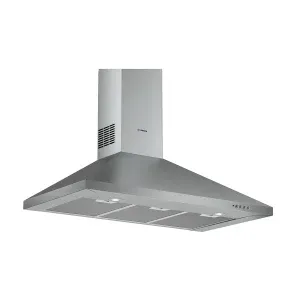
Bosch Series 2 DWP94CC50M 35.5 Inch Stainless Steel Wall-mounted Kitchen Hood
No reviews yet
৳76,475৳83,1258% OFF
In Stock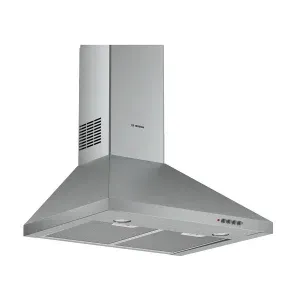
Bosch Series 2 DWP64CC50T 23.6 Inch Stainless Steel Wall-mounted Kitchen Hood
No reviews yet
৳63,825৳69,3758% OFF
In Stock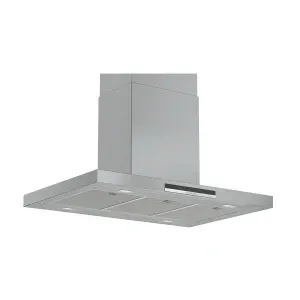
Bosch Series 4 DIB97IM50 35.5 Inch Stainless Steel Island Kitchen Hood
No reviews yet
৳239,200৳260,0008% OFF
In Stock